
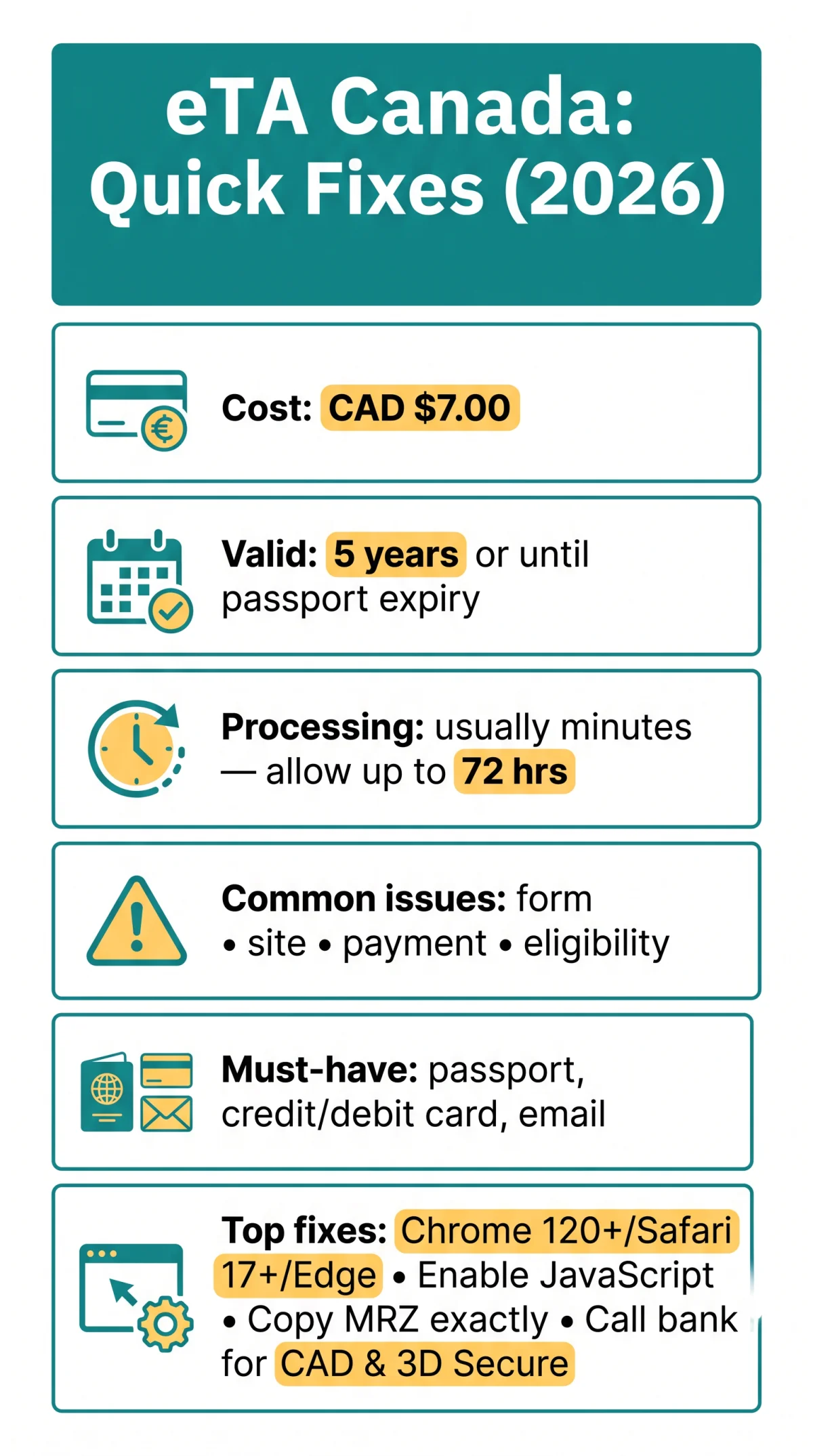
Most eTA Canada application problems in 2026 are caused by browser incompatibility, incorrect passport data, or UK card payment blocks. Update your browser, enable JavaScript, verify passport details against the MRZ line, and contact your bank to approve international transactions before paying the CAD $7 fee. If issues persist, use the IRCC case-specific enquiry form at ircc.canada.ca.
Most eTA Canada application problems fall into four categories: form validation errors, website crashes, CAD $7 payment rejections, and eligibility confusion. Required for visa-exempt foreign nationals travelling by air since 16 March 2016, the eTA costs CAD $7.00, is valid for 5 years or until passport expiry, and allows multiple entries. U.S. Green Card holders are eTA exempt per the April 2022 IRCC regulatory update. Session timeouts, passport O/0 errors, and scam websites charging £50 to £100+ are solved below.
What Are the Most Common eTA Canada Application Problems in 2026?
eTA Canada application problems include form validation errors, website crashes, payment rejections, and eligibility confusion. Required items: valid passport, credit/debit card, and email address. Initial Study or Work Permit holders receive an automatic eTA effective 1 August 2015, valid 5 years independently of permit duration. eTA Canada application problems also involve travellers confusing rejection with technical errors; ineligibility messages differ from system failures.
Processing Times: Why Most eTAs Are Instant (But Some Aren’t)
Most eTAs are approved within minutes. If IRCC needs additional documents, they notify you within 72 hours. Document uploads must be .pdf, .jpg, or .tiff under 5 MB. If your eTA is delayed, check IRCC status within 72 hours.
eTA Application Technical Problems: Browser, Website & Device Troubleshooting
Use Chrome 120+, Safari 17+, or Edge; enable JavaScript; disable ad blockers, VPNs, and corporate firewalls. Internet Explorer will fail.
Browser Compatibility & JavaScript Requirements
- Use Chrome 120+, Safari 17+, or Edge. Internet Explorer is unsupported.
- Enable JavaScript; without it, dropdowns, date selectors, and the submit button remain inactive.
- Clear cookies and cache before starting the form to avoid stale session conflicts.
- Block out 15 to 20 minutes in one sitting to complete the application without interruption.
Ad Blockers, VPNs & Firewall Settings
- Disable ad blockers (e.g., uBlock Origin): they strip scripts the eTA form needs to render fields.
- Turn off VPNs (e.g., NordVPN) before loading the application page; rerouted traffic triggers security blocks.
- Switch off corporate firewall restrictions; they often block government payment gateways.
Example: A UK traveller reported that after disabling NordVPN and switching from Safari to Chrome, the form loaded instantly after 10 minutes of a blank page.
Server Error Pages: Is It Maintenance or a Real Problem?
- HTTP 500 or HTTP 503 pages indicate the IRCC portal is down. Wait 30 to 60 minutes before retrying to distinguish scheduled maintenance from an actual failure.
- eTA Canada application problems caused by server-side outages do not reset your processing clock; once the portal recovers, resubmit the form from the beginning.
Common eTA Mistakes That Cause Technical Failures
- Dual British-Canadian citizens cannot hold an eTA; Canadian citizens must travel on a Canadian passport.
- Third-party applications (friend or family member on your behalf) are permitted but cause data mismatch errors: verify all details with the applicant.
- Green Card holders are eTA exempt and should not apply.
eTA Form Errors: How to Fix Common Application Problems Step by Step
Table below fixes passport number O/0 confusion, MRZ name transliteration, UCI field leaving blank, and session timeout data loss. eTA Canada application problems related to form validation appear as rejection messages before you reach the CAD $7.00 payment stage.
| Error Message | Likely Cause | How to Fix It |
|---|---|---|
| “Passport number invalid” | Letter O mistaken for zero 0; special characters copied from MRZ line | 1. Compare each character against the MRZ line. 2. Replace O with 0. 3. Remove spaces and special characters. |
| “Name does not match document” | Hyphens, apostrophes, accents, or multiple forenames not transliterated per MRZ rules | 1. Copy name exactly as printed in the MRZ line. 2. Use only A-Z characters. 3. Enter all given names in the correct order. |
| “UCI Number required / invalid” | First-time applicants entering a UCI they do not have | 1. Leave the UCI field blank if this is your first IRCC application. 2. Only previous IRCC applicants enter their existing UCI. 3. Do not guess a number. |
| “Session expired: data not saved” | Portal auto-logout after inactivity; no progress recovery | 1. Copy all entered data to a text file before clicking Continue. 2. Complete the form in one sitting. 3. Use a password manager for auto-fill. |
Passport Number Errors (O vs. 0)
eTA Canada application problems involving passport numbers stem from visual similarity between the letter O and the digit 0. Always cross-check against the MRZ line at the bottom of your passport photo page.
Name Field Validation & MRZ Rules
The eTA form accepts only standard Latin characters. Transliterate hyphens, apostrophes, and accents to match the MRZ line exactly, including all given names in sequence. As per IRCC guidelines, only standard Latin characters are accepted in the name field (Source: IRCC Help Centre).
UCI Number Field: When to Leave It Blank
First-time applicants should leave the UCI field blank. Only individuals with a previous IRCC application possess a Unique Client Identifier.
Session Timeout: How to Stop Losing Your Data
The portal does not auto-save progress. Copy key data to a local file before each “Continue” click to prevent loss on timeout.
Payment Declined: Fixing eTA Card Problems for UK Applicants
Call your bank to enable international CAD transactions and activate 3D Secure. If declined, try another card.

eTA Canada application problems related to payment occur when British banks reject the CAD $7.00 processing fee as a suspicious foreign transaction.
Call your bank
Ask them to approve international transactions in Canadian dollars before applying.
Activate 3D Secure
Ensure Verified by Visa or Mastercard SecureCode is enabled on your card.
Try another card
If declined, switch to a different credit or debit card and retry the payment step.
Disable VPN
Turn off any VPN masking your UK location to avoid fraud-detection blocks.
Double Charges & How to Request a Refund
eTA Canada application problems involving duplicate charges stem from the difference between authorisation holds and captured payments. A declined transaction may still appear as a pending hold. If both holds convert to actual charges, request a refund from IRCC through the case-specific enquiry form at IRCC Help Centre Article 1085, and dispute the duplicate with your card issuer directly.
Post-Submission eTA Problems: Missing Emails, Retrieval & Contacting IRCC
Check spam, sign in to IRCC account, use “Check your application status” tool. Scam portals charge £50 to £100+ vs. CAD $7.
eTA Canada application problems that persist after submission often involve a missing confirmation email containing your V-number. First, check your spam and promotions folders for a message from IRCC. If nothing arrives, sign in to your IRCC account and use the “Check your application status” tool on ircc.canada.ca to retrieve your reference number. When the application remains stuck beyond 72 hours, submit a case-specific enquiry to IRCC at ircc.canada.ca/english/visit/eta-form-help.asp.
Appeal After eTA Rejection
There is no formal appeal process for eTA rejection. If rejected, reapply with corrected information. Common rejection reasons include ineligibility (e.g., Canadian citizens cannot hold an eTA), criminal inadmissibility, or incorrect passport data. Identify the cause, fix it, and submit a new application.
Avoid Fake eTA Websites: How to Spot Scam Portals in 2026
The eTA application costs CAD $7.00 on canada.ca; any site charging £50 to £100+ on a non-.ca domain is a scam portal. eTA Canada application problems also arise when travellers unknowingly use third-party sites charging excessive fees for a service that costs only CAD $7 on the government portal.
| Government Portal (canada.ca) | Scam Red Flags |
|---|---|
| Fee: CAD $7.00 | Fee: £50 to £100+ |
| Domain: canada.ca | Non-.ca domain extensions |
| HTTPS encryption present | Missing HTTPS or invalid certificate |
| Direct IRCC processing | Third-party intermediary, no government link |
If you already paid a scam service, dispute the charge with your bank and reapply directly through canada.ca.
FAQ
How do I fix eTA Canada application form errors?
Check passport O/0, copy name from MRZ line, leave UCI blank if first applicant, finish in one session.
Why is the eTA Canada application website not loading?
Disable ad blockers, VPNs, and corporate firewalls. If you see HTTP 500 or 503 errors, wait 30 to 60 minutes before retrying.
Which browsers are compatible with the eTA Canada application in 2026?
Chrome 120+, Safari 17+, or Edge with JavaScript enabled. Internet Explorer is unsupported.
What should I do if my card is declined during the eTA payment?
Call your bank to enable international CAD transactions and activate 3D Secure. If still declined, use an alternative card.
How do I contact IRCC if my eTA application is stuck?
Submit a case-specific enquiry to IRCC at ircc.canada.ca/english/visit/eta-form-help.asp. IRCC typically requests additional documents within 72 hours.
Why does my eTA say my passport information is invalid?
Character errors such as confusing O with 0, or including special characters. Copy details exactly from the MRZ line of your passport.
How far in advance should I apply for a Canada eTA?
Most eTAs are approved within minutes, but some take up to 72 hours. Apply at least a few days before your flight.
Can I fly to Canada without an eTA if my application has a problem?
No. Visa-exempt foreign nationals need a valid eTA to board flights to Canada. Resolve application issues before your travel date.
What happens if I applied through a scam website: is my eTA valid?
If the scam site submitted to IRCC, your eTA may be valid but you overpaid. If not, reapply on canada.ca for CAD $7. Dispute the scam charge with your bank.
Is there a paper application option for eTA if the online form keeps failing?
Yes, applicants with a physical or mental disability can request a paper application. Processing times are longer than the standard online approval.
Last updated: September 2026. This guide reflects the current eTA application portal as of Q3 2026. We are an independent informational portal for tourists and are not affiliated with the Government of Canada or IRCC. For authoritative purposes, always refer to canada.ca. Processing times mentioned (up to 72 hours) are based on IRCC public data from 2025 to 2026.